🏗️ Section Under Technical Review
Status: In Progress | Target Release: Q2 2026
We are currently finalizing the visual walkthroughs and technical documentation for this section to ensure “Engineering-Grade” accuracy.
Need immediate assistance?
If you require the specific steps for this region right now, please Contact Support
Section 1: Jurisdictional Tax Validation (Phase II)
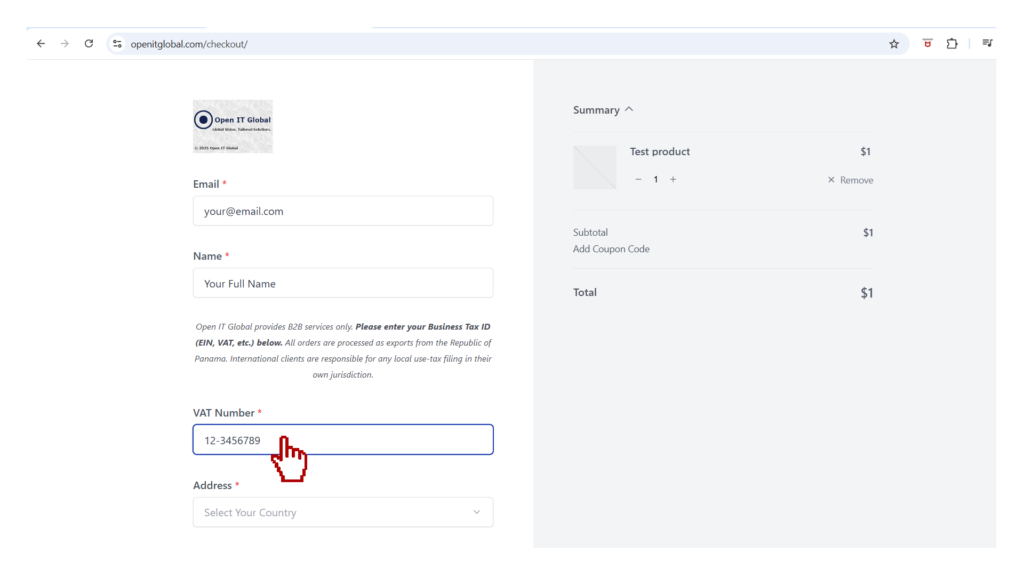
- Step 1: Identity Data. Enter your 9-digit EIN (Employer Identification Number).
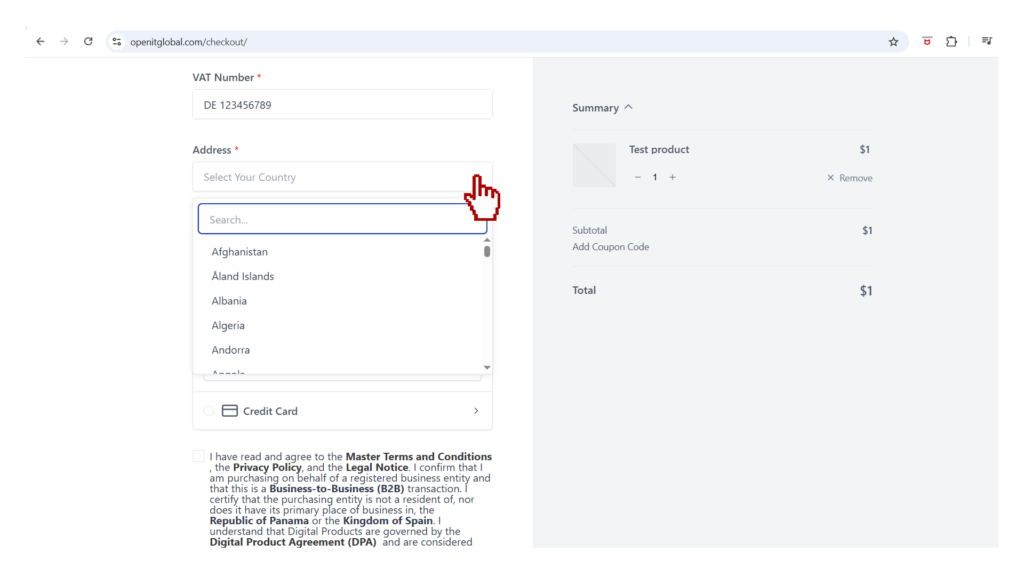
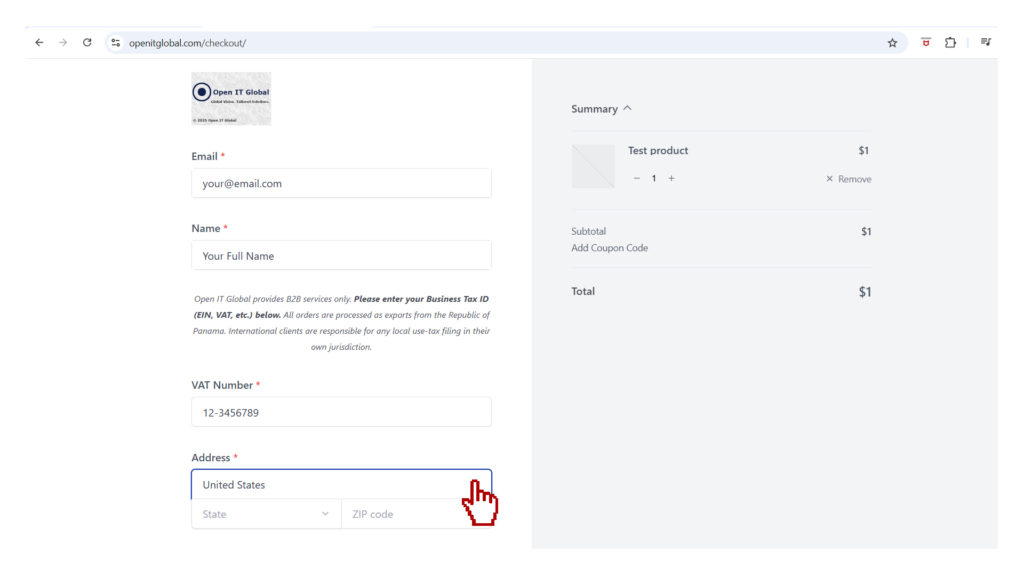
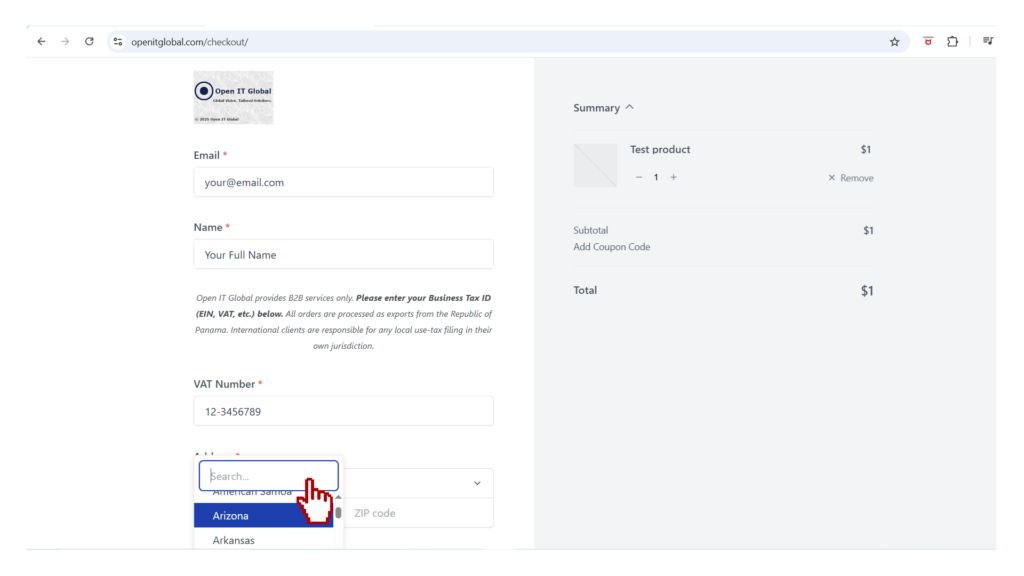
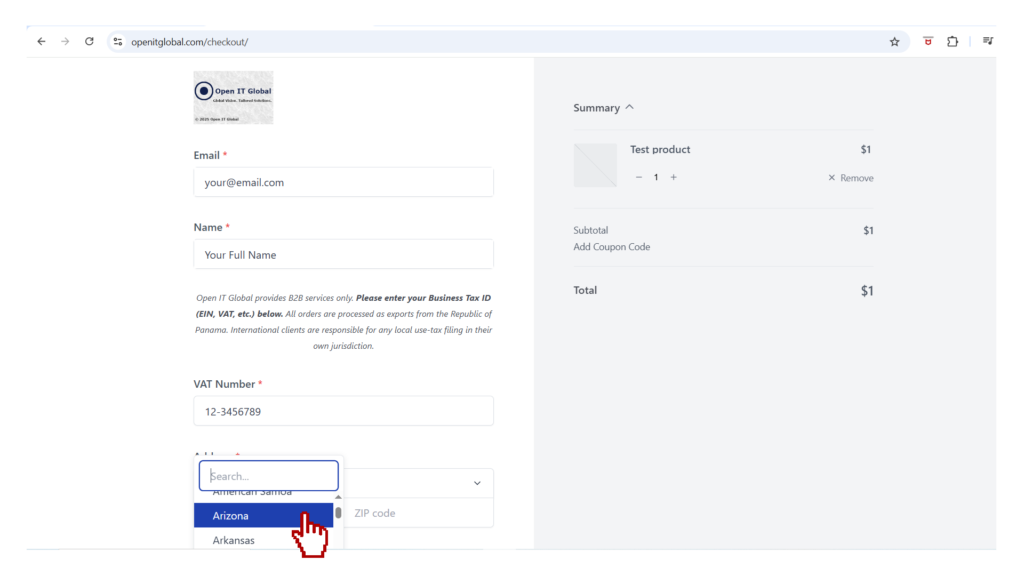
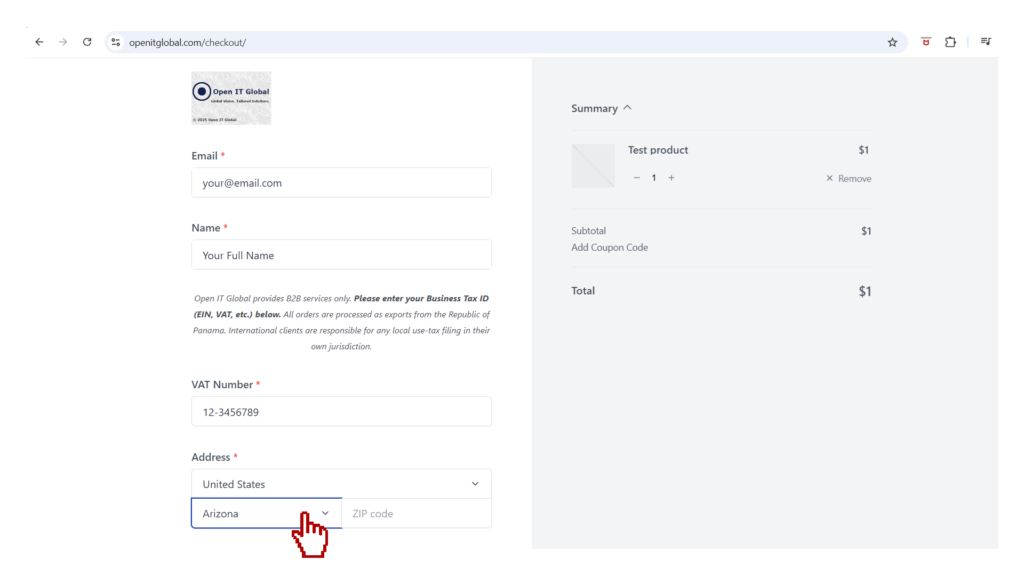
- Step 2: Region Selection. Select United States and your specific State from the dropdown menu.
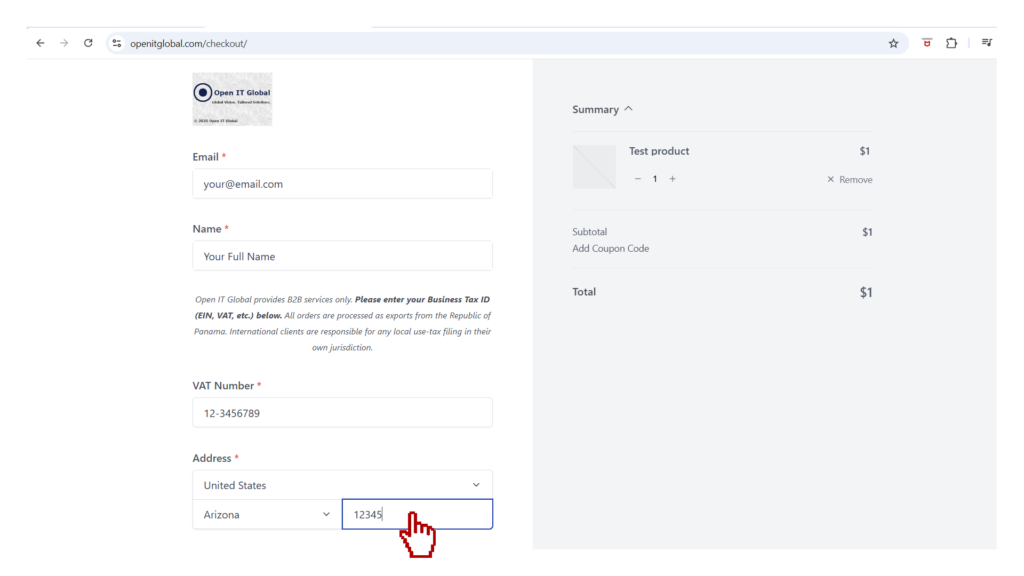
- Step 3: PCI-Compliance Matching. Enter the ZIP Code associated with your corporate credit card to avoid gateway rejection.
Audit Tip: The ZIP Code must match the billing address on file with your financial institution.
Section 2: 🇺🇸 USA: Secure Payment Protocol & Interface (Phase III)
🏗️ Section Under Technical Review
Status: In Progress | Target Release: Q2 2026
We are currently finalizing the visual walkthroughs and technical documentation for this section to ensure “Engineering-Grade” accuracy.
Need immediate assistance?
If you require the specific steps for this region right now, please Contact Support
Step 4: Gateway Authorization. Choose your preferred method.
Step 5: Omnibus Acceptance. Omnibus Acceptance. Check the legal box. This ensures your transaction is categorized as a B2B Export, exempting it from local sales taxes and providing the correct legal framework for your corporate audit.
Ready for Execution: Once authorized, your Audit-Ready Receipt and Project Activation Kit will be provisioned instantly to your dashboard.