
🏗️ Section Under Technical Review
Status: In Progress | Target Release: Q2 2026
We are currently finalizing the visual walkthroughs and technical documentation for this section to ensure “Engineering-Grade” accuracy.
Need immediate assistance?
If you require the specific steps for this region right now, please Contact Support
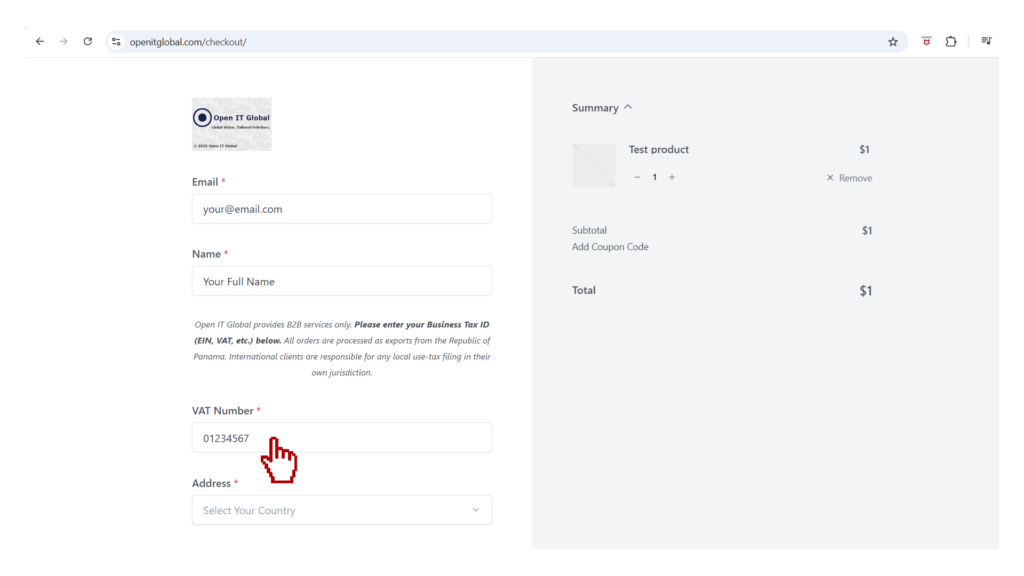
Section 1: Jurisdictional Tax Validation (Phase II)
- Step 1: Enter your Corporate Tax ID based on your region:
- General:
Section 2: 🌐 Global: Secure Payment Protocol & Interface (Phase III)
🏗️ Section Under Technical Review
Status: In Progress | Target Release: Q2 2026
We are currently finalizing the visual walkthroughs and technical documentation for this section to ensure “Engineering-Grade” accuracy.
Need immediate assistance?
If you require the specific steps for this region right now, please Contact Support
- Step 10: Click on PayPal Checkout button.
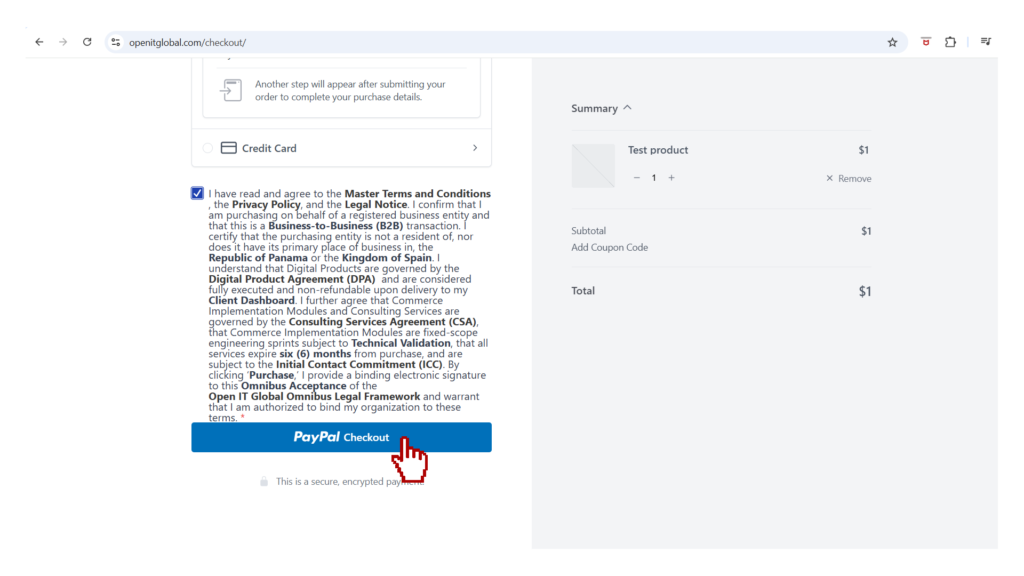
- Step 11: Enter your payment details.
- Note: Your data is processed through an encrypted tunnel; Open IT Global does not store sensitive card numbers.
- If payment method Credit Card was selected
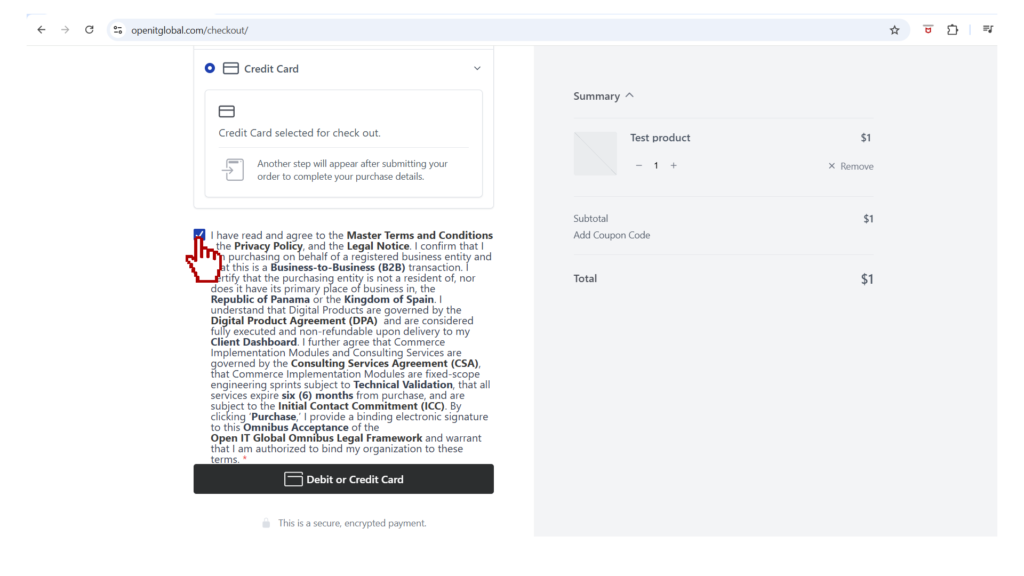
- Step 10: Click on Debit or Credit Card button.
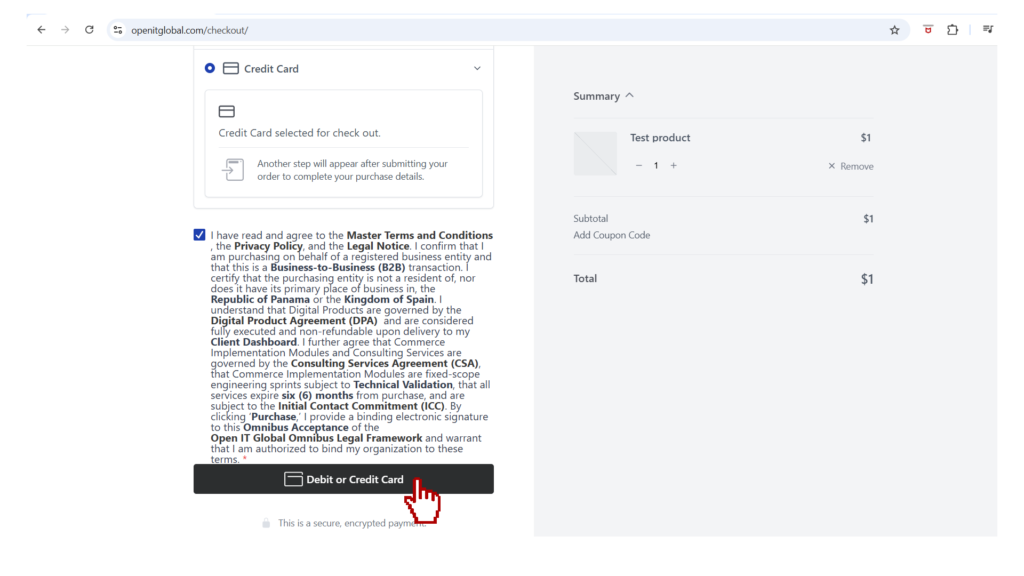
- Step 11: Enter your payment details.
- Note: Your data is processed through an encrypted tunnel; Open IT Global does not store sensitive card numbers.
- Step 11: Review the total and click “Pay Now” to execute the transaction.
- Step 12: Receive your Audit-Ready Receipt automatically in your inbox.
